
Use Your US Passport at TSA with Apple Wallet’s Digital ID
The new 'Digital ID' feature is a workaround for anyone whose state still doesn't support digital driver’s licenses.

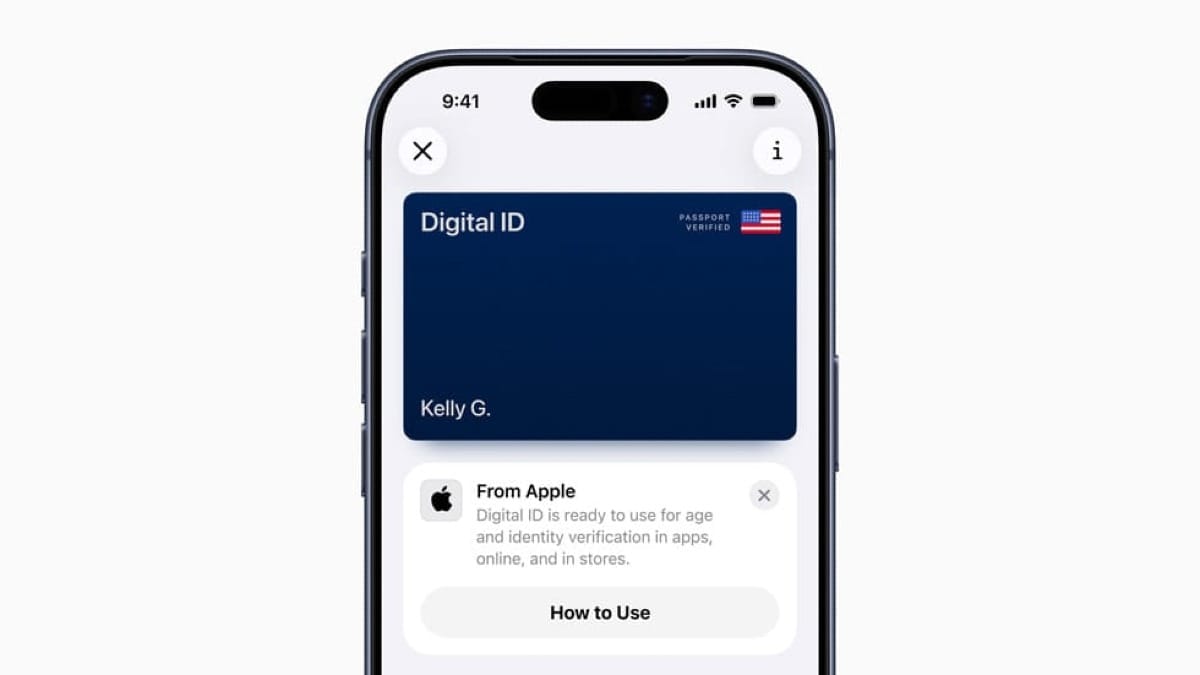
Apple is officially rolling out Digital ID, a new feature that allows iPhone users to create a valid ID in Apple Wallet using their US passport. The company announced the update today, positioning it as a major expansion of its digital identity efforts.
While Apple has spent the last few years slowly adding support for digital driver’s licenses on a state-by-state basis, this new passport-based feature is available to anyone with a US passport immediately, bypassing the bureaucratic hurdles that have slowed adoption at the state level.
According to Apple, the new Digital ID will "roll out first" for use at TSA checkpoints in over 250 airports across the US for domestic travel.
How it works
Unlike the existing driver’s license feature—which requires you to live in one of the 12 supported states (plus Puerto Rico)—Digital ID is federally based. If you have a valid US passport, you can set it up now.
The setup process is slightly more involved than adding a credit card, designed to verify that you are actually the passport holder:
- Scan the photo page of your physical passport.
- Scan the NFC chip embedded in the back of the passport using your iPhone's NFC reader (the same sensor used for Apple Pay).
- Take a selfie and complete a series of facial and head movements to verify your identity against the passport data.
Once verified, your Digital ID sits in your Wallet app. To use it at a supported TSA checkpoint, you simply double-click your side button (or Home button), authenticate with Face ID/Touch ID, and tap your phone against the identity reader.
The 'Beta' Reality
There are some critical caveats to keep in mind before you head to the airport.
First, this does not replace your physical passport. Apple explicitly notes that Digital ID cannot be used for international travel or border crossings. It is strictly for identity verification at domestic TSA checkpoints.
Second, while it is accepted at "over 250 airports," implementation can be spotty. Tech-savvy travelers know that just because a checkpoint can accept digital ID doesn't mean every lane is equipped or every agent is trained on it. You should absolutely keep your physical ID accessible as a backup.
Privacy and Encryption
Apple is leaning hard into the privacy angle, likely to pre-empt concerns about handing over passport data to a tech giant. The company states that the feature is fully encrypted; Apple cannot see when or where you present your ID, nor can it access the specific data you share.
Crucially, the system relies on NFC tap-to-verify. You do not need to hand your unlocked phone to a TSA agent to show them the screen—a practice security experts have advised against for years.
Why now?
This move solves a fragmentation problem for Apple. Since announcing digital driver's licenses in June 2021, adoption has been sluggish, with only a fraction of US states coming on board. By leveraging US passports, Apple effectively flips a switch that allows millions of Americans to use Digital ID immediately, regardless of whether their home state keeps dragging its feet on digital driver's licenses.
Apple says that "additional select businesses and organizations" will begin accepting Digital ID in the future, hinting at a world where your phone could verify your age at a bar or concert venue without revealing your home address. For now, though, it’s mostly just a cooler way to get through security at O'Hare.