
Dropped Phone in Water on Cruise? Do This Now (Guide)

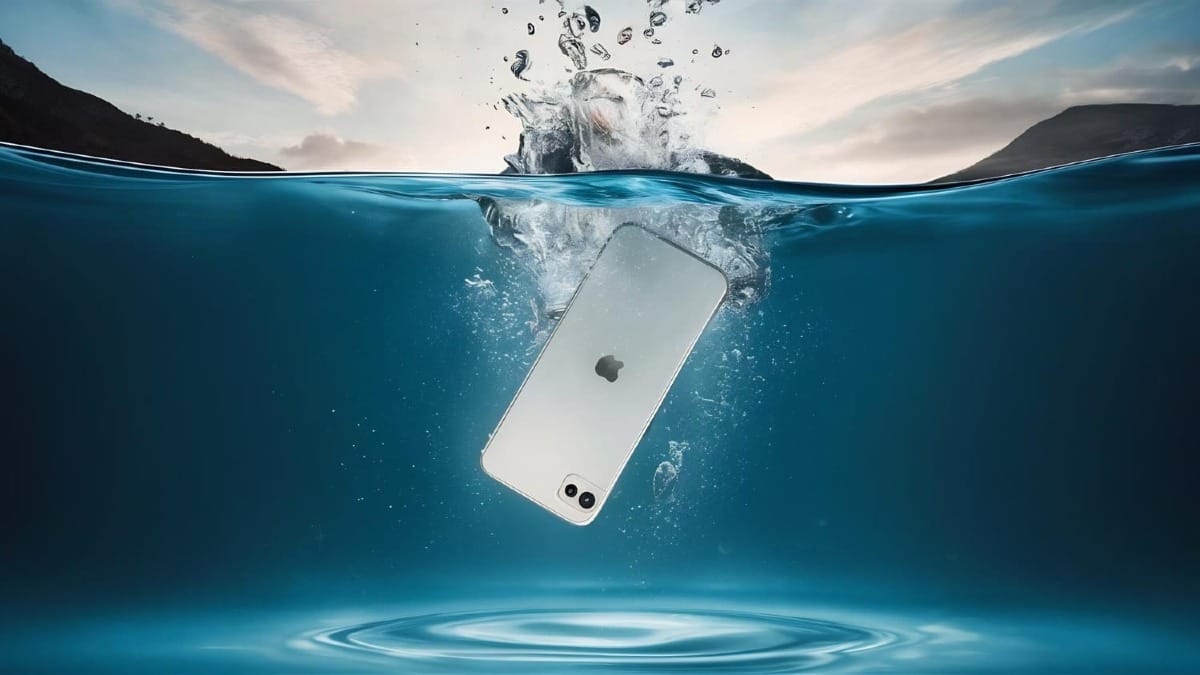
It is the nightmare scenario: you are leaning over the railing for that perfect sunset photo, or lounging by the pool, and splash. Your phone is gone.
On land, you might rush to a repair shop. On a cruise ship in the middle of the ocean, you are on your own. Speed is everything, but the specific type of water you dropped it in changes the rules completely.
Here is your emergency action plan.
Step 1: Immediate Retrieval and Power Down
Every second counts. Fish the phone out immediately.
- Do not try to unlock it to check if it works.
- Do not plug it in to charge.
- Power it off immediately. If the screen is already black, leave it black. Pressing buttons can force water further into the circuits or cause a short.
- Remove everything. Take off the case, pop out the SIM card tray, and if you have an older Android with a removable battery, take that out too.
Step 2: The "Saltwater Rule" (Crucial)
This is where cruise mishaps differ from dropping your phone in a toilet at home.
- If you dropped it in the pool: Cruise ship pools are often filled with saltwater. Even if it is a freshwater pool, it is heavily chlorinated. Both salt and chlorine are highly corrosive and will eat your phone's motherboard within hours if they dry there.
- If you dropped it in the ocean: This is pure saltwater. It is kryptonite for electronics.
The Counter-Intuitive Fix: You must rinse your phone. If your phone was submerged in salt or chlorinated water, you need to flush that corrosive liquid out. Holding the phone upright, briefly rinse the lower portion (charging port) and the exterior under a gentle stream of fresh, clean tap water from your cabin sink. You aren't trying to soak it again, but you must dilute the salt crystals before they dry.
Step 3: Drying (Forget the Rice)
You may have heard the old "put it in rice" advice. Do not do this. Rice is dusty and starchy.
On a humid cruise ship, that dust can turn into a paste inside your charging port, ruining the phone permanently.
Do this instead.
The "Gravity" Tap
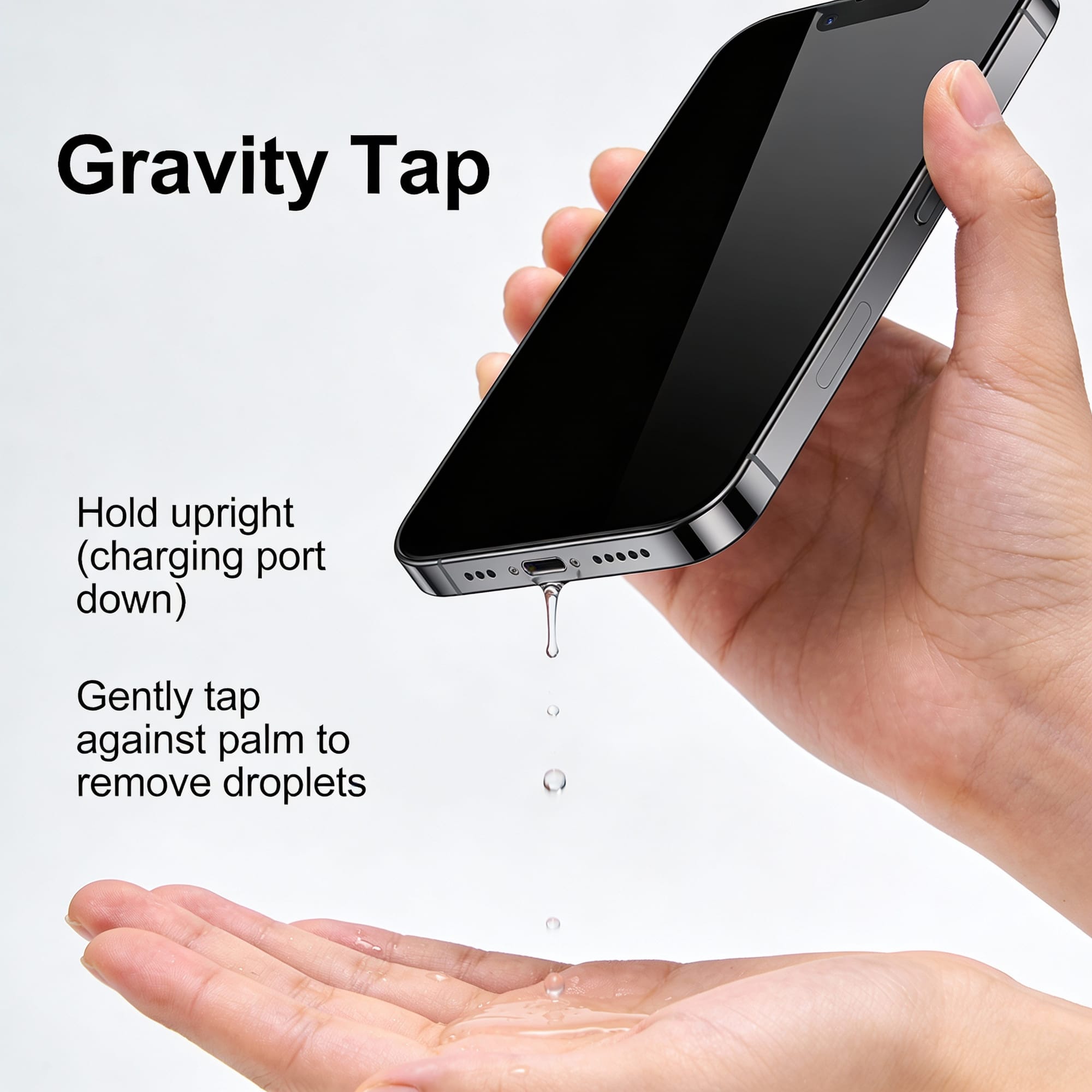
Hold the phone upright (charging port facing down) and gently tap it against your palm to knock out excess droplets.
The Towel Dry
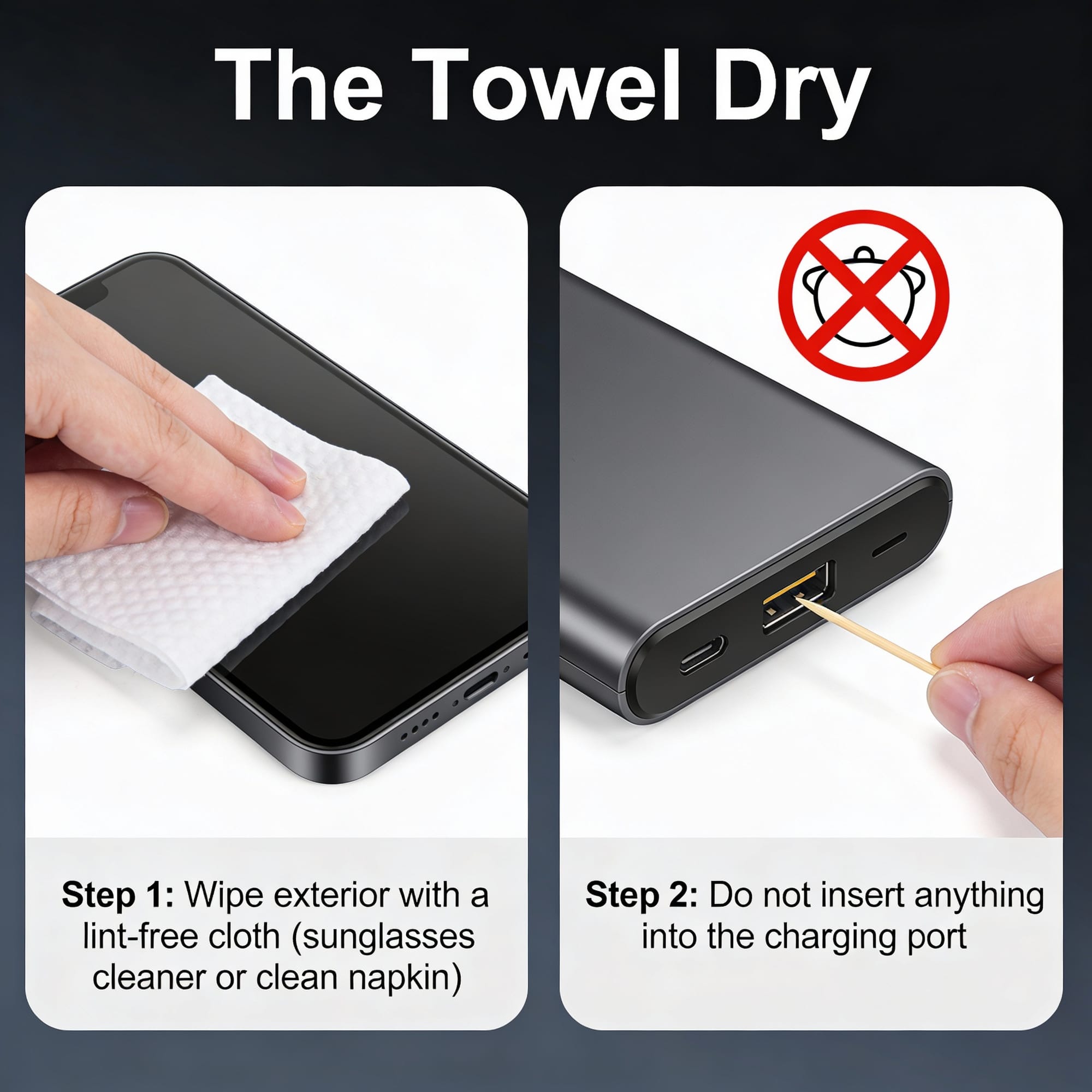
Use a lint-free cloth (like your sunglasses cleaner or a clean napkin) to dry the exterior. Do not insert anything (like a Q-tip) inside the charging port; you will just push water deeper.
Find Desiccants
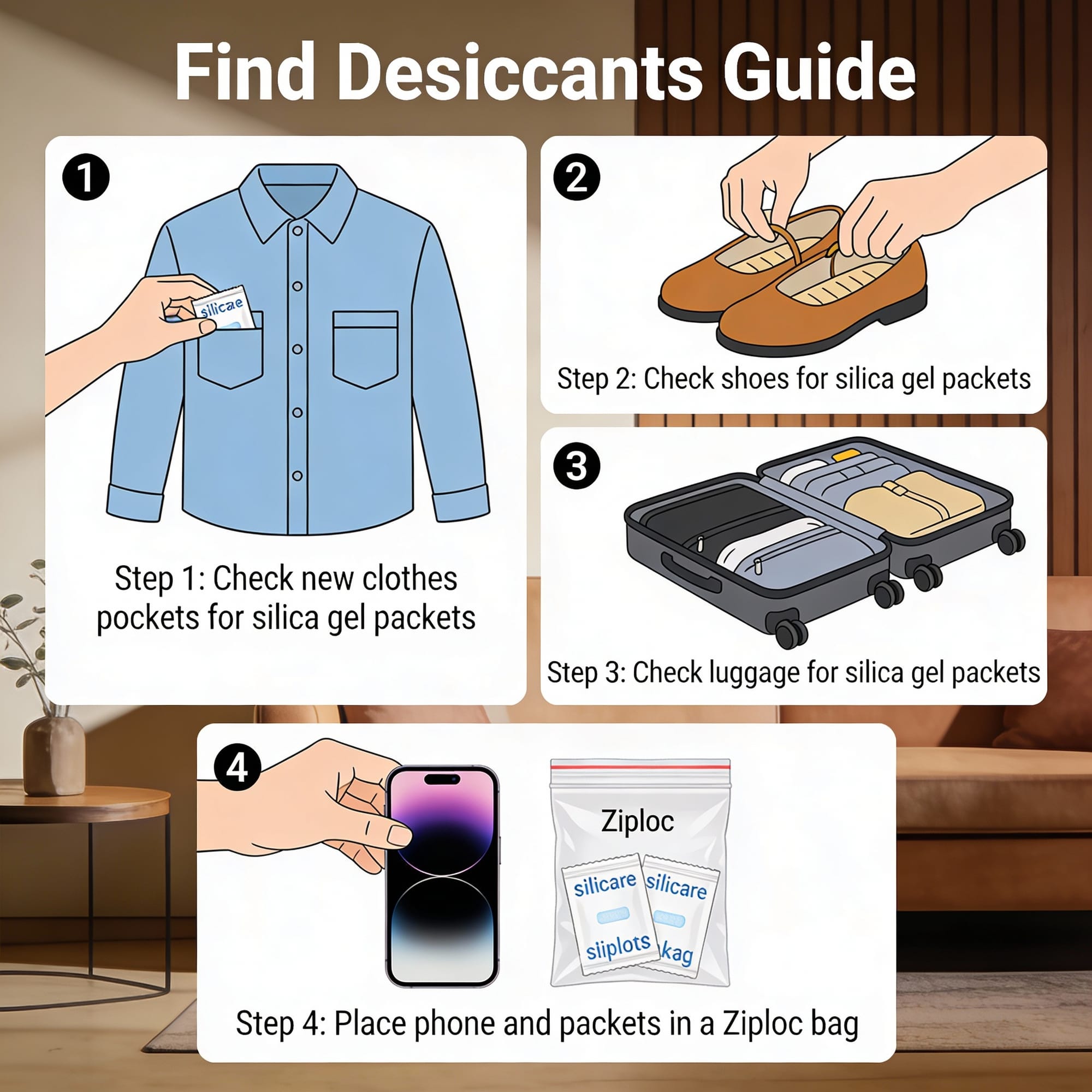
You probably didn't pack silica gel packets, but you might find them. Check the pockets of any new clothes or shoes you bought for the trip, or check inside any new luggage. If you can find a few packets, put them in a Ziploc bag with the phone.
Best Bet: Air Circulation
If you have no silica gel, your best bet is airflow. Place the phone on a dry towel in a safe spot in your cabin. If you have a small cabin fan, point it across the phone (not directly into the ports).
Step 4: The Waiting Game
This is the hardest part. You must leave the phone off and drying for at least 24 to 48 hours.
- Do not use a hair dryer (the heat will melt the adhesives sealing the phone).
- Do not leave it out on the balcony in the sun (overheating will destroy the battery).
- Do not charge it until you are 100% sure it is dry. Wireless charging is safer than plugging a cable in if you are unsure about the port, but wait at least a day.
Step 5: Assessing Your Options Onboard
If the phone doesn't turn on after two days, you have limited options until you dock.
- No Repairs Onboard: Cruise ships generally do not have phone repair shops. The IT officer is there for the ship's Wi-Fi, not to solder your logic board.
- Check the Shops: The onboard shops usually sell a small selection of electronics. They will likely be overpriced and older models, but if you need a phone for emergencies, this may be your only choice.
- Use the Cabin Phone: If you need to contact home, use the ship’s cabin phone (expensive) or ask a traveling companion to borrow their device to log into your email/apps.
Prevention for the Rest of the Trip
If you managed to save your phone (or if you are reading this before it happens), invest in a waterproof floating pouch with a lanyard. They cost less than $10 and are the only thing that will save your device if it goes overboard into the deep ocean—because unlike the pool, the ship won't turn around for a lost iPhone.
The Worst-Case Scenario: What If It Fell Overboard?
If your phone slipped through the railing and plummeted into the ocean, the situation is different. Unlike a drop in the pool, there is no physical rescue mission.
Here is the hard truth and the immediate steps you must take.
1. Let It Go (Literally)
- Safety First: It happens in a split second, but your instinct might be to lunge for it. Do not. Never lean over a railing or climb on furniture to try to catch a falling object. Your life is worth infinitely more than a smartphone.
- The Ship Won't Stop: Cruise ships cannot and will not turn around for a lost mobile device. The ocean depth and the ship’s speed make retrieval impossible.
2. Secure Your Data Immediately Since you can't get the phone back, your priority shifts to protecting your identity.
- Use a Companion's Device: Borrow a friend or family member's phone (or use the ship's internet café) immediately.
- Remote Wipe: Log into iCloud (Find My iPhone) or Google (Find My Device). Set the device to "Lost Mode" or initiate a "Remote Erase." This prevents anyone from accessing your data if the phone somehow washes ashore (unlikely, but safe is better than sorry).
- Change Passwords: As a precaution, change the passwords for your email and banking apps, especially if you didn't have a strong passcode on the lock screen.
3. Get the Paperwork for Insurance You likely cannot claim this on the cruise line's liability, but you can claim it on your travel insurance or home insurance.
- Visit Guest Services: Go to the front desk and report the loss. Ask for a written incident report or a formal loss statement.
- Be Specific: Ensure the report states the date, time, and location (e.g., "Phone fell overboard from Deck 11 Starboard side").
- File the Claim: Most travel insurance policies have a "baggage and personal effects" clause. You will need that ship's report to prove the loss wasn't just negligence back home.
4. Two-Factor Authentication (The Hidden Headache) If your accounts require a text message code to log in, you are now locked out.
- Contact Your Carrier: Use the cabin phone or Wi-Fi calling to contact your carrier. Explain the situation and ask if they can suspend the line to prevent unauthorized calls, but keep the number active so you can transfer it to a new SIM card (or eSIM) as soon as you get to a port with a store or back home.
For the latest mobile news, comparisons, guides and opinions, visit https://www.shopcellplans.com or click down below to be redirected.